Publish policies and SOPs. See who read them.
The same Equipd library that holds your fleet documents can hold your company policies and standard operating procedures. Publish the PDF, require acknowledgement, and see who opened and acknowledged it.
- Read acknowledgements (Compliance)
- View logs with CSV export
- Version history
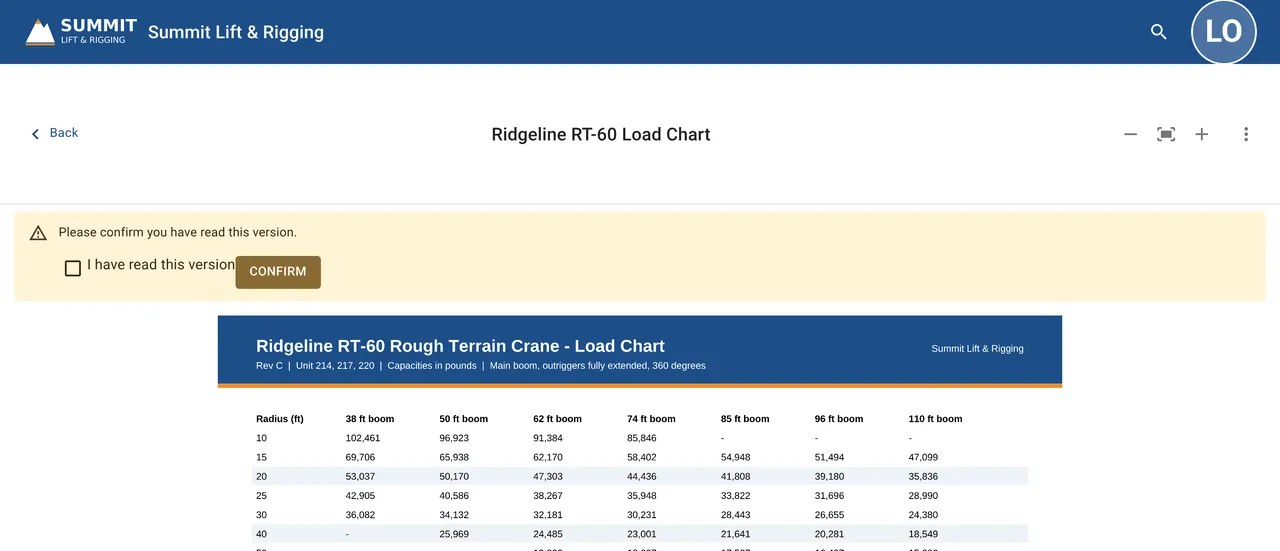
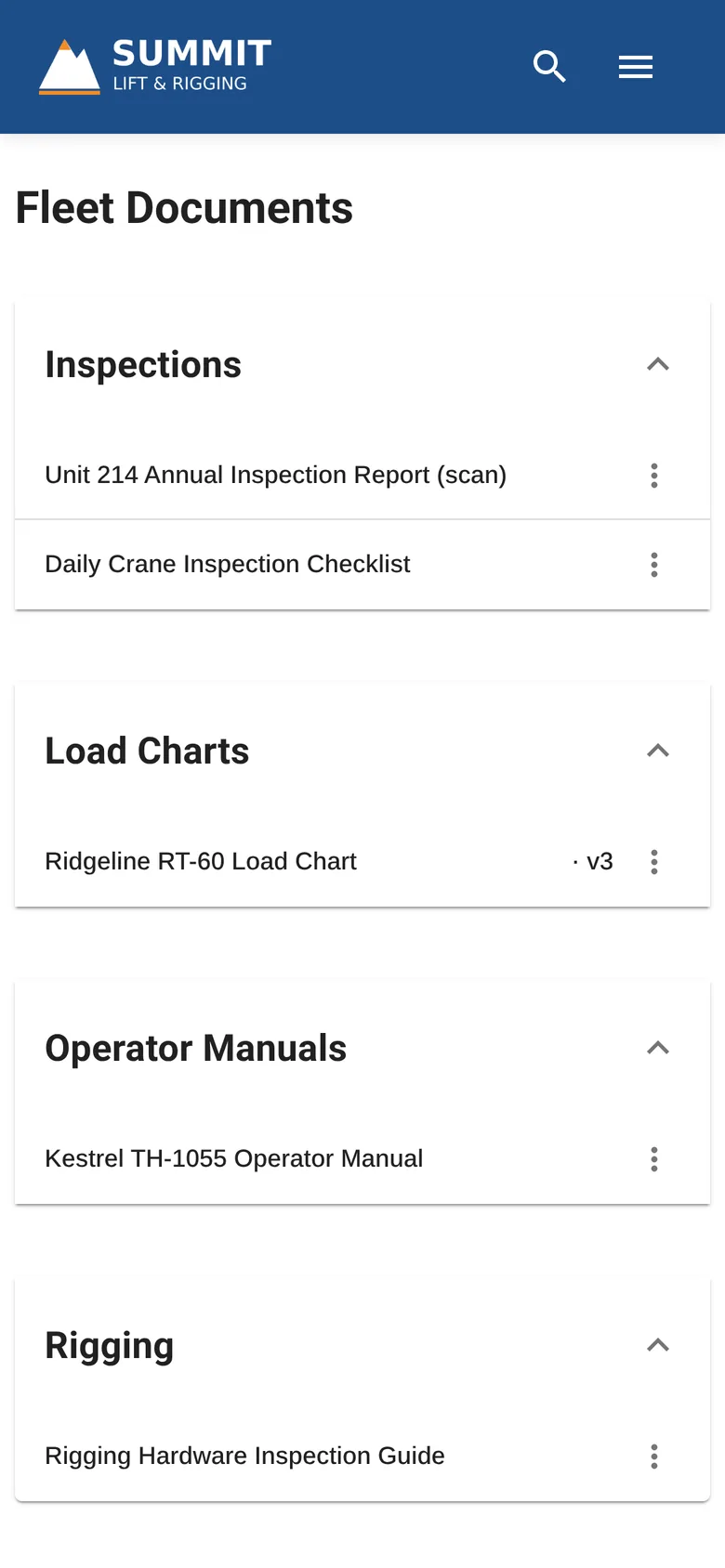
Policies and procedures, one place.
On Starter, keep them in an Internal folder in the one default workspace. On Pro and Compliance, put them in their own workspace by workflow or role, which customers never see.
Company policies
Handbook sections and company policies.
Standard operating procedures
Shop, yard, and delivery procedures.
Safety procedures
Your written safety programs and procedures.
Forms and references
The supporting documents your team uses.
Most policies stay internal.
Every file has an audience: Internal, External (customer-facing), or Public. Set it per file, and people only see the folders that hold files they can open.
Staff only
Staff only. Customers never see these files.
- Company policies
- Shop and yard SOPs
Your customers
Policies customers should read.
- Jobsite rules for customers
- Customer-facing procedures
Anyone with the link
Open to anyone with the link.
- Published company policies
Starter includes only the default workspace. On Pro and Compliance, add workspaces by workflow or role, each with its own default audience. Admins can turn off download per file on Pro and Compliance.
Your team reads it on any device.
Staff open policies at a desk or on a phone, and can save files for offline use. Offline copies are cleared when someone signs out.
- ✓Saved for offlineProcedures they save open with no signal.
- ✓Desktop and phoneUse Equipd in the browser, or if you like, you can install it from Chrome or Edge on Mac, Windows, and Linux, or add it to the home screen on iPhone (Safari) and Android. No app store needed.
- Mac
- Windows
- Linux
- iPhone
- Android
Who read which version.
On the Compliance plan, set “Require acknowledgement” on a file, and employees see a prompt to confirm they have read that version. The view log shows who opened and acknowledged each file, and admins export it to CSV.
- ✓Read acknowledgementsRequire acknowledgement per file. Employees confirm they have read the version in front of them.
- ✓View logsSee who opened each file, and who has not acknowledged it yet.
- ✓Version history and retentionEvery version keeps its change notes. The activity log is kept 1, 3, 5, or 7 years (3 by default).
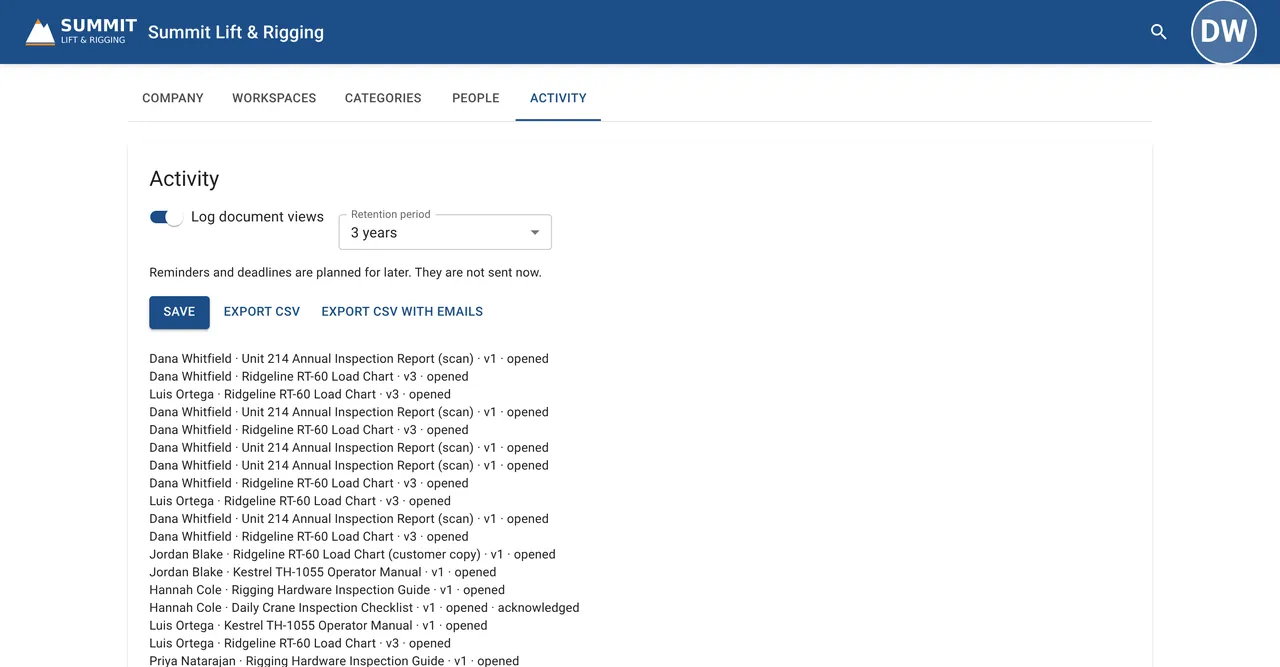
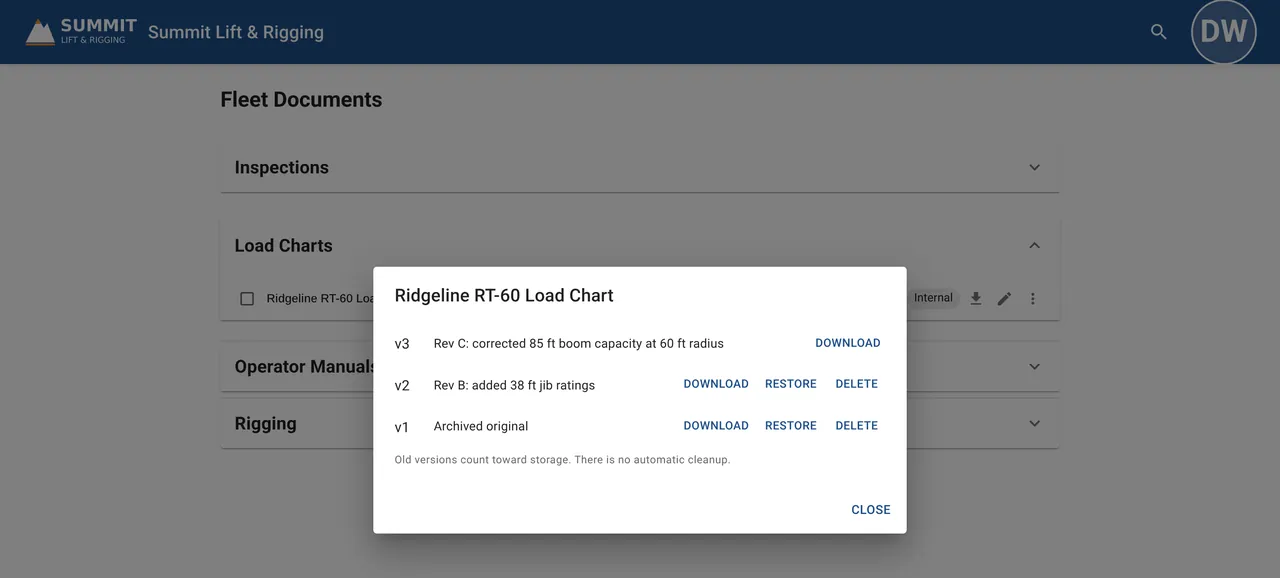
Acknowledgements are on Compliance.
No per-user fees on any plan, a 14-day free trial of Pro, and payment by ACH or invoice.