Manuals and inspection records for every lift and machine.
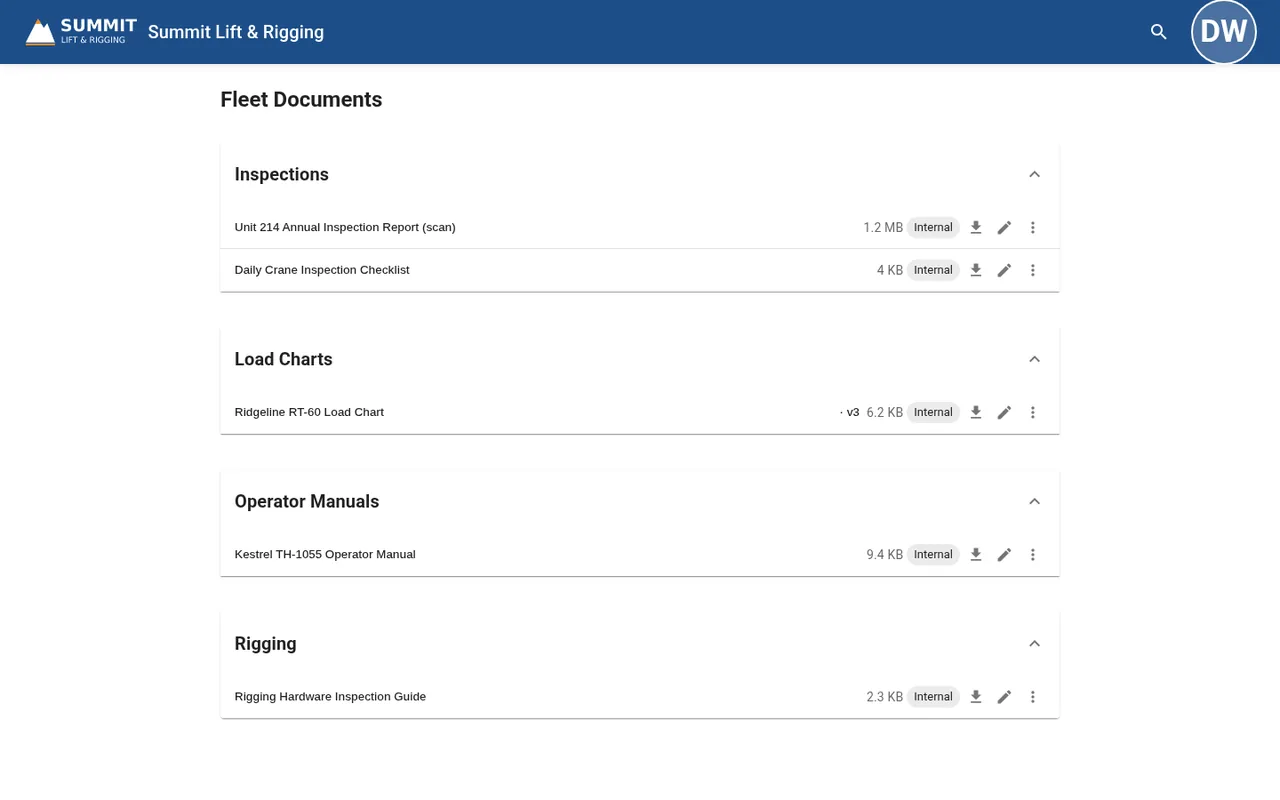
Booms, scissor lifts, telehandlers, excavators, and loaders all come with paperwork. Keep it in one library, sorted by unit, and let operators open what they saved even with no signal.
- Organize by unit or class
- Search scanned reports (Pro and up)
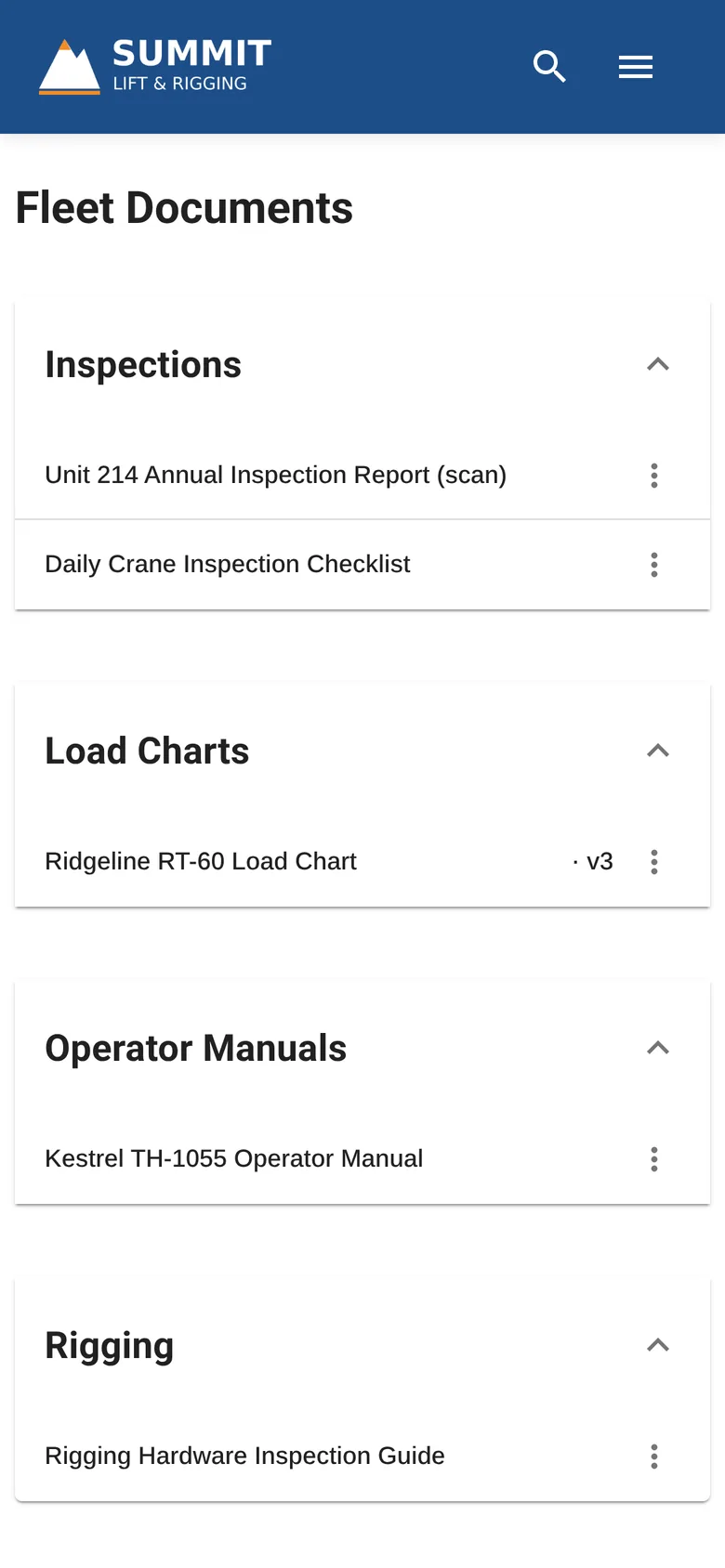
- Desktop and phone
Paperwork for every unit.
A folder per machine class or per unit number, with the current version on top. Starter includes only the default workspace. On Pro and Compliance, add workspaces by workflow or role.
Operator manuals
For each lift, telehandler, and machine.
Annual inspection reports
Scanned or digital, searchable on Pro and up.
Frequent inspection records
Pre-use and periodic records for each unit.
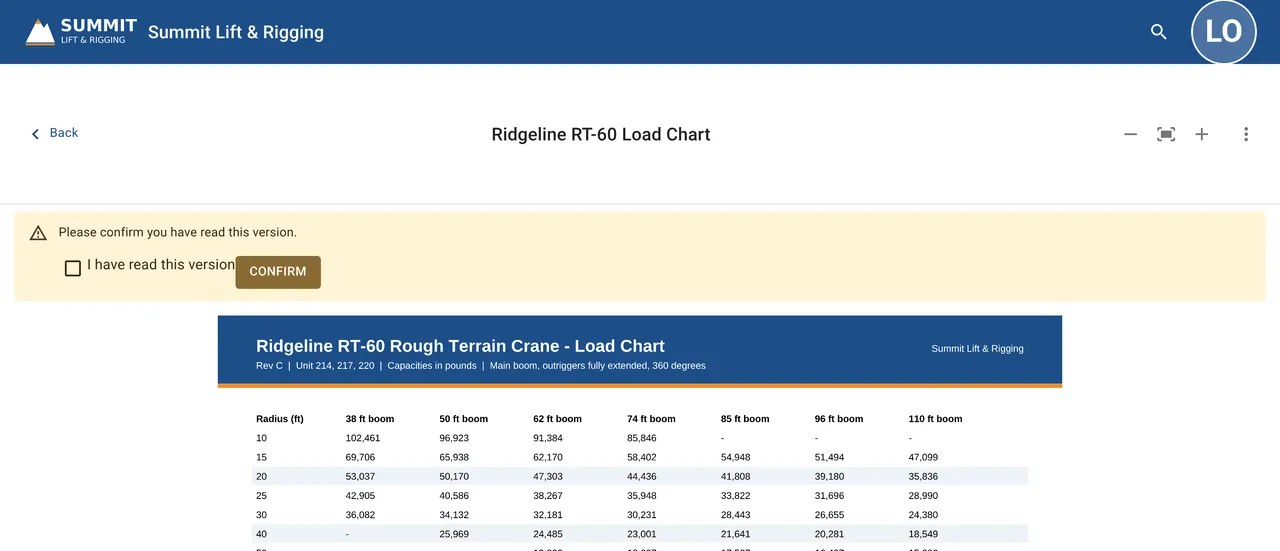
Capacity and load charts
Telehandler and lift charts by model.
Service and repair records
Internal for your shop.
Delivery and orientation sheets
Customer-facing guides for first use.
Shop, customer, and public files.
Every file has an audience: Internal, External (customer-facing), or Public. Set it per file, and people only see the folders that hold files they can open.
Staff only
For your techs and yard.
- Service and repair records
- Internal inspection notes
Your customers
For signed-in customers renting the unit.
- Operator manuals
- Annual inspection reports you share
Anyone with the link
Open to anyone with the link.
- Spec sheets
- Delivery sheets
Starter includes only the default workspace. On Pro and Compliance, add workspaces by workflow or role, each with its own default audience. Admins can turn off download per file on Pro and Compliance.
Open it at the machine.
Operators save the manuals and records they need, and those files open on a jobsite with no signal. Offline copies are cleared when someone signs out.
- ✓Saved for offlineSave the manual for the unit before delivery.
- ✓Search scanned reportsOn Pro and Compliance, search finds words inside scanned, image-only inspection reports.
- ✓Desktop and phoneUse Equipd in the browser, or if you like, you can install it from Chrome or Edge on Mac, Windows, and Linux, or add it to the home screen on iPhone (Safari) and Android. No app store needed.
- Mac
- Windows
- Linux
- iPhone
- Android
A record for every unit.
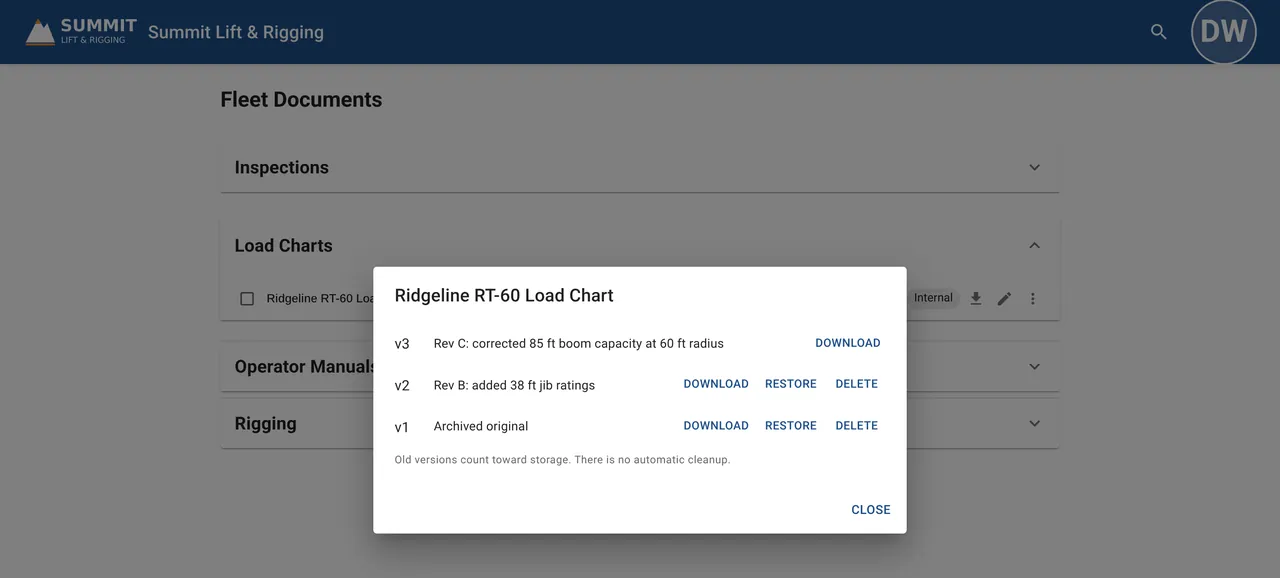
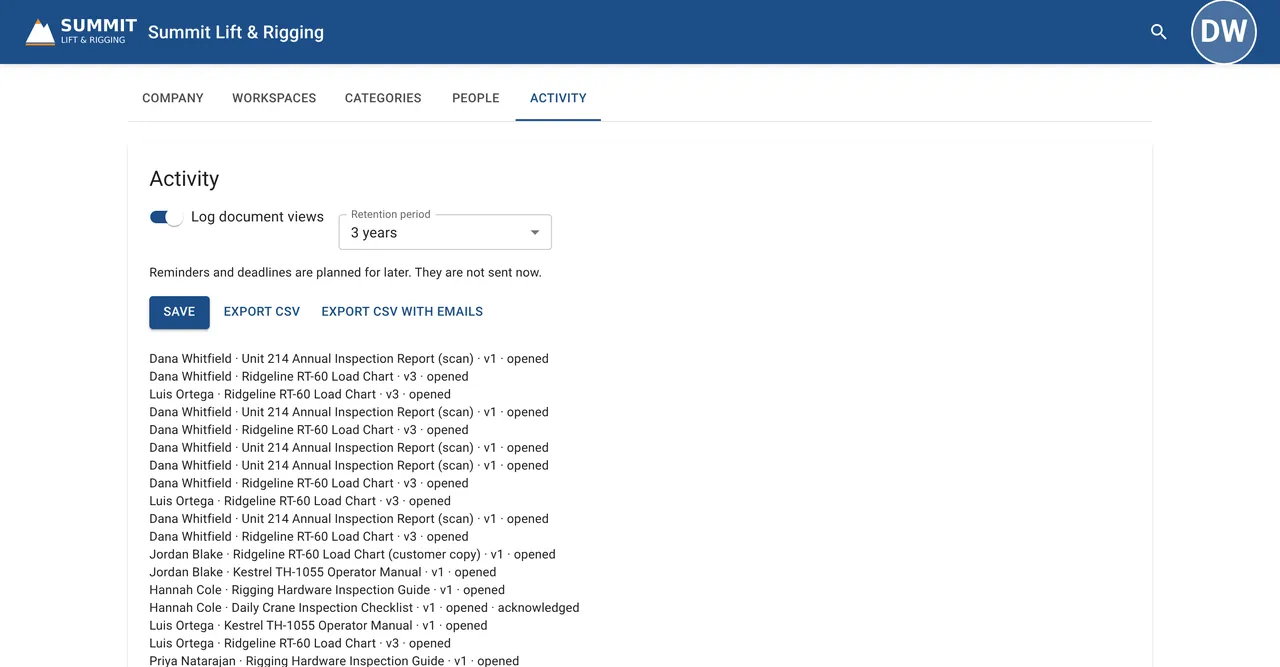
On the Compliance plan, every file keeps its version history, the view log shows who opened and acknowledged it, and admins export the log to CSV.
- ✓Version historyEvery file keeps its versions with change notes, so you can see what changed and restore an earlier one.
- ✓View logs and acknowledgementsSee who opened each file, and require acknowledgement on the files that matter.
- ✓Retention and CSV exportKeep the activity log for 1, 3, 5, or 7 years (3 by default), and export it to CSV.
Every lift and machine, one flat price.
No per-user fees on any plan, a 14-day free trial of Pro, and payment by ACH or invoice.